 forkcast
Meal planning that starts with the week, not the day.
forkcast plans your meals a week ahead against your own calorie and macro goals, and turns the plan into a grocery list. Built for one person. Maybe useful for you.
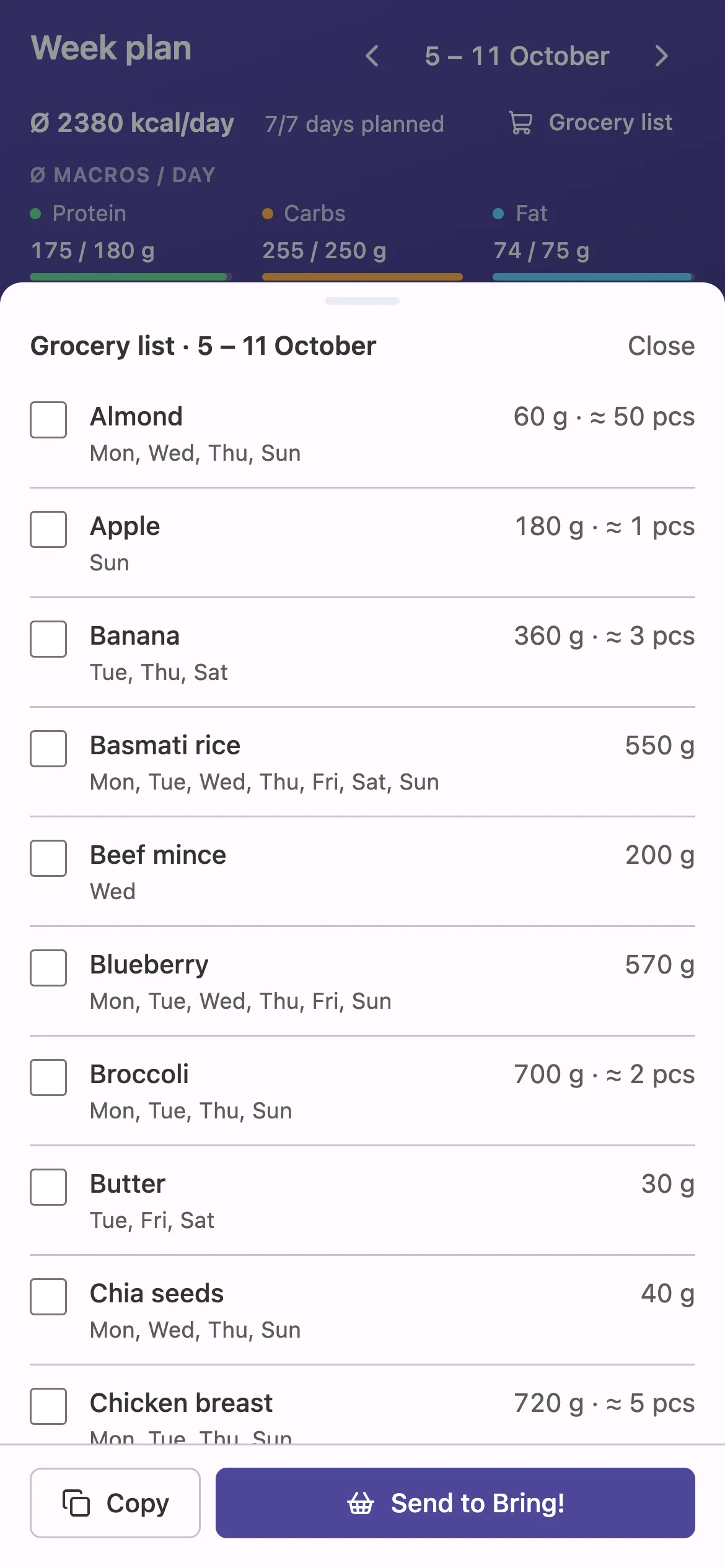
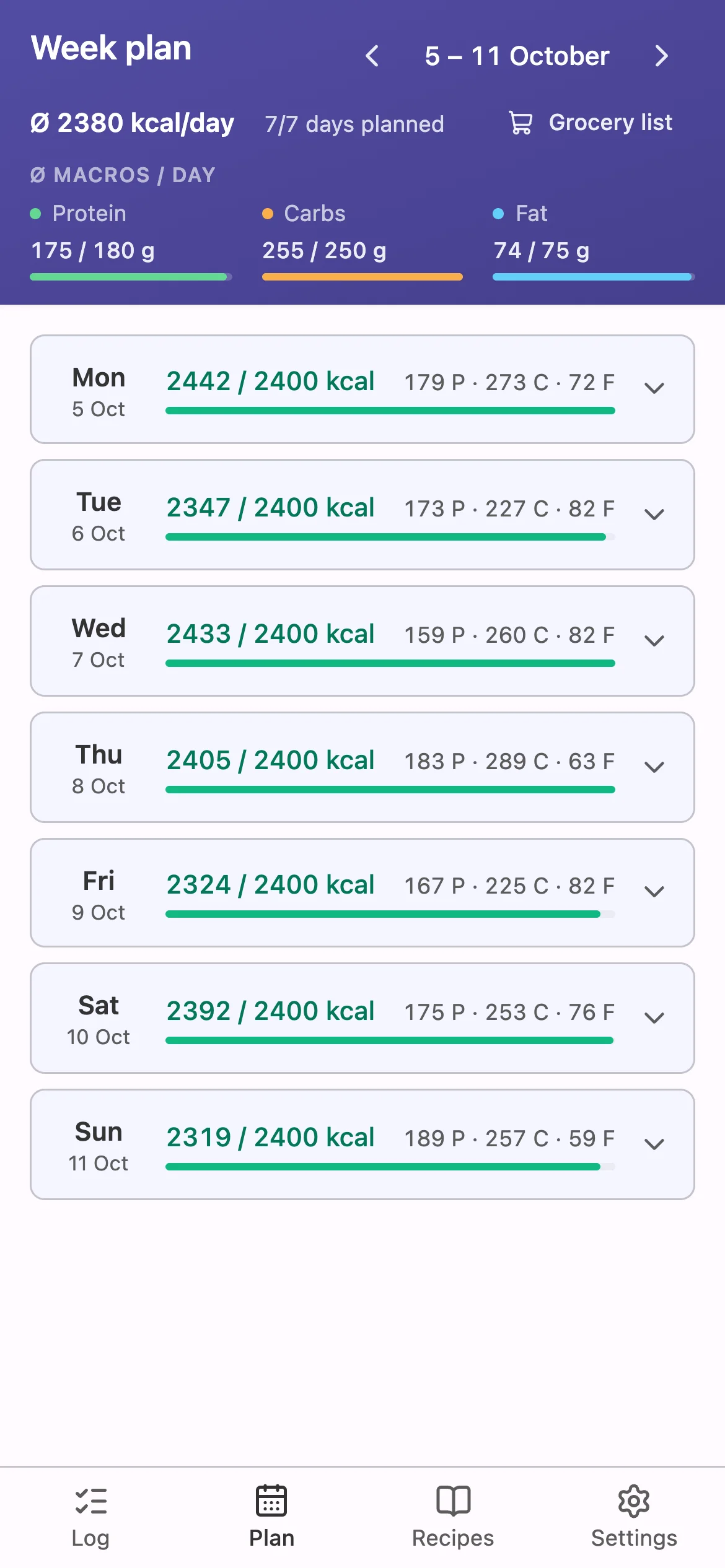
Real app, demo data.
Built for one person. Maybe not only for me.
I have a full-time job, a young family and fitness goals I take seriously. Every tracker I tried, fddb, yazio, MyFitnessPal, is built around logging what you already ate. I wanted to decide on Sunday what I eat all week, and know it adds up.
A spreadsheet got me halfway. It did the maths, but it was never ergonomic enough to keep up every week. So I built forkcast, for myself, with no plan to turn it into a product.
It has grown to the point where other people might want it too. This page is how I find out whether that's true, and whether you'd want it hosted or on your own server.
| Mon | Tue | Wed | kcal | |
|---|---|---|---|---|
| Breakfast | Oats | Oats | Skyr | 1,420 |
| Lunch | Bowl | Dal | Bowl | 2,310 |
| Dinner | Salmon | ? | Leftovers | #REF! |
| Protein | 171 | — | 158 |
How it works
The week is the unit. Daily logging is still there, as the flexible part, not the main job.
Plan the week
Put meals on each day of the coming week and see the daily and weekly averages against your goals before you've eaten anything. Copy a day to the next when you meal-prep.
- Protein
- Carbs
- Fat
Adjust the day
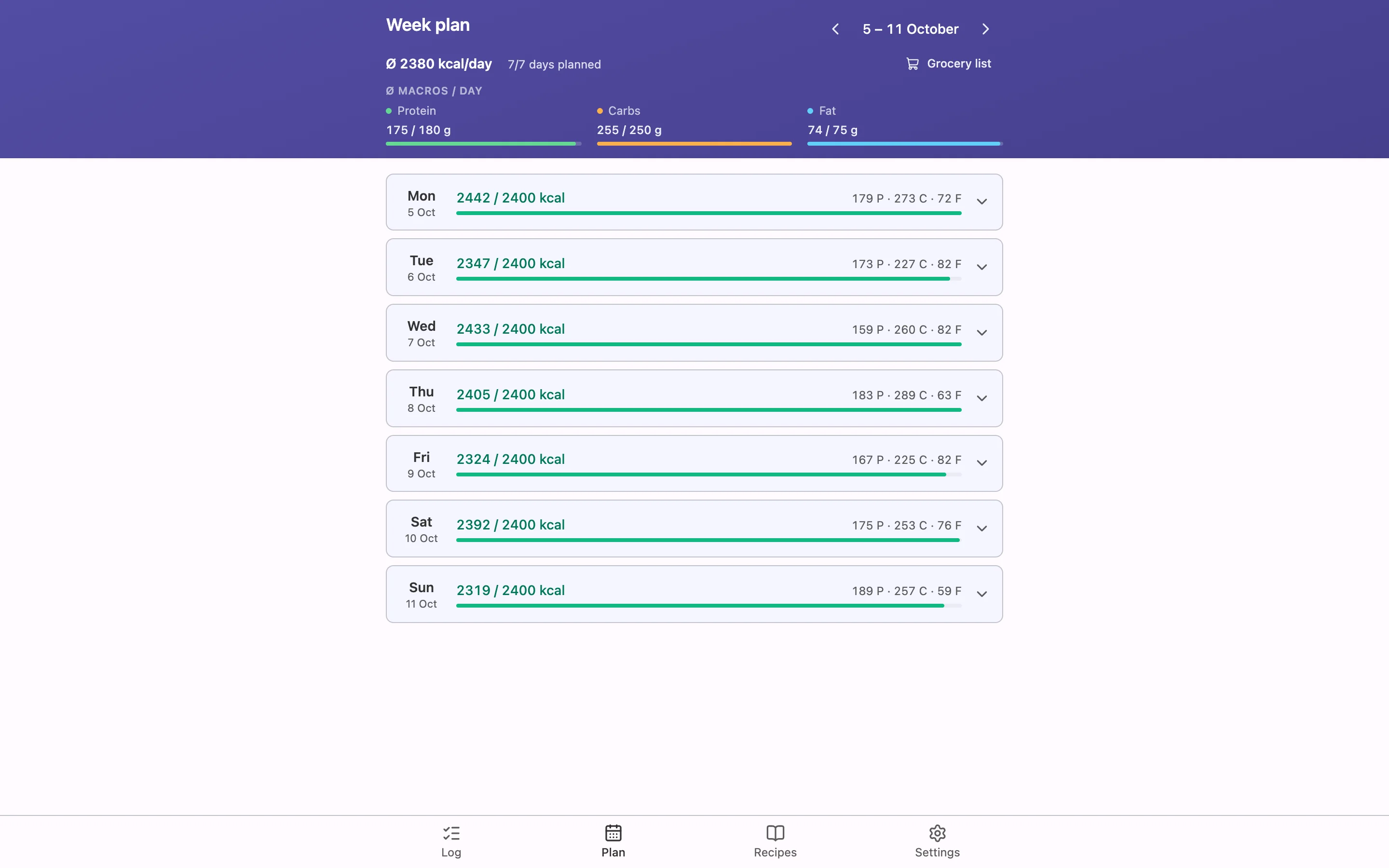
Plans change. Swap a meal or log something unplanned on your phone, and the macros update while you type the amount.
Shop from the plan
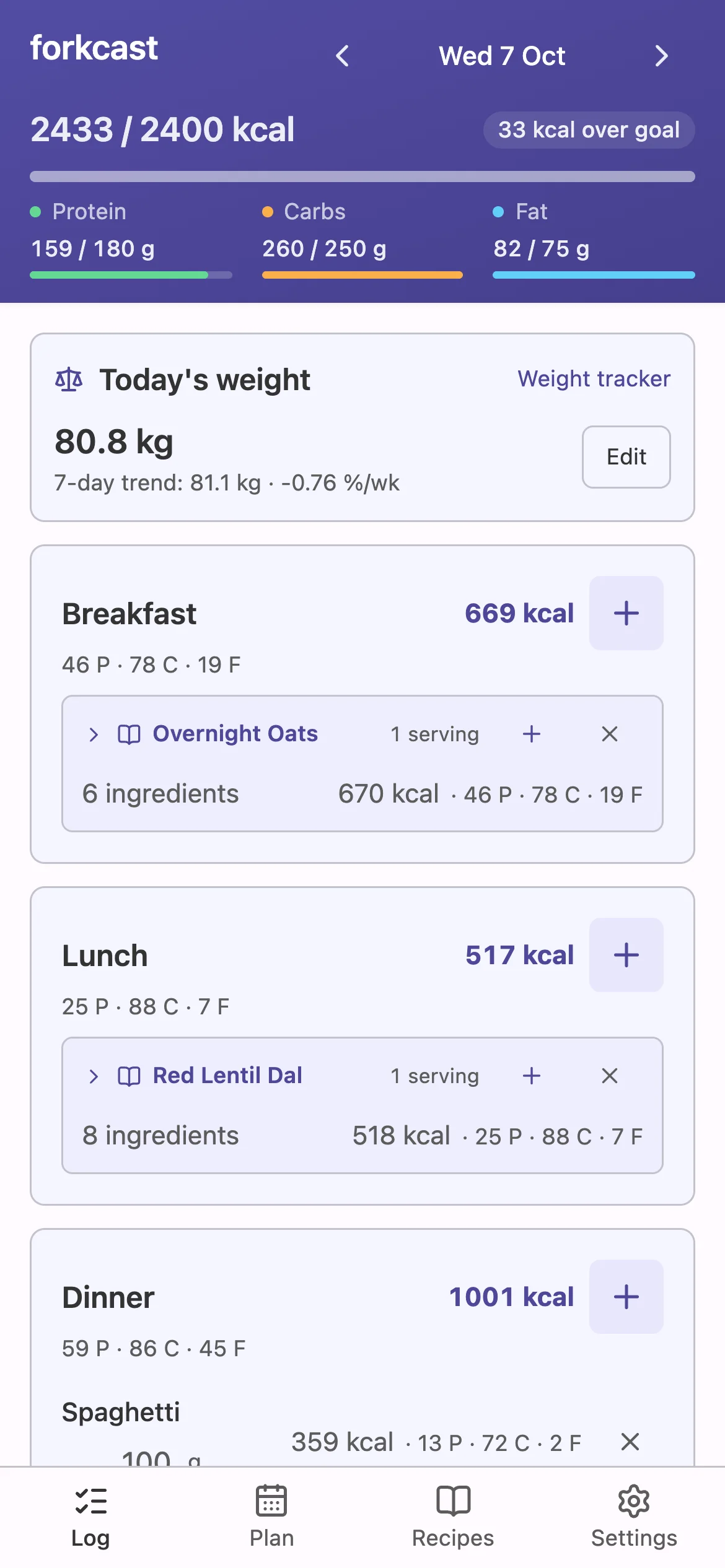
The grocery list adds up everything the week needs, with piece hints like "≈ 3" for onions. Tick off what's already at home, or send the list to Bring!.
Two things that save the most typing
Most of the time in a food tracker goes into entering food. These two cut it down.
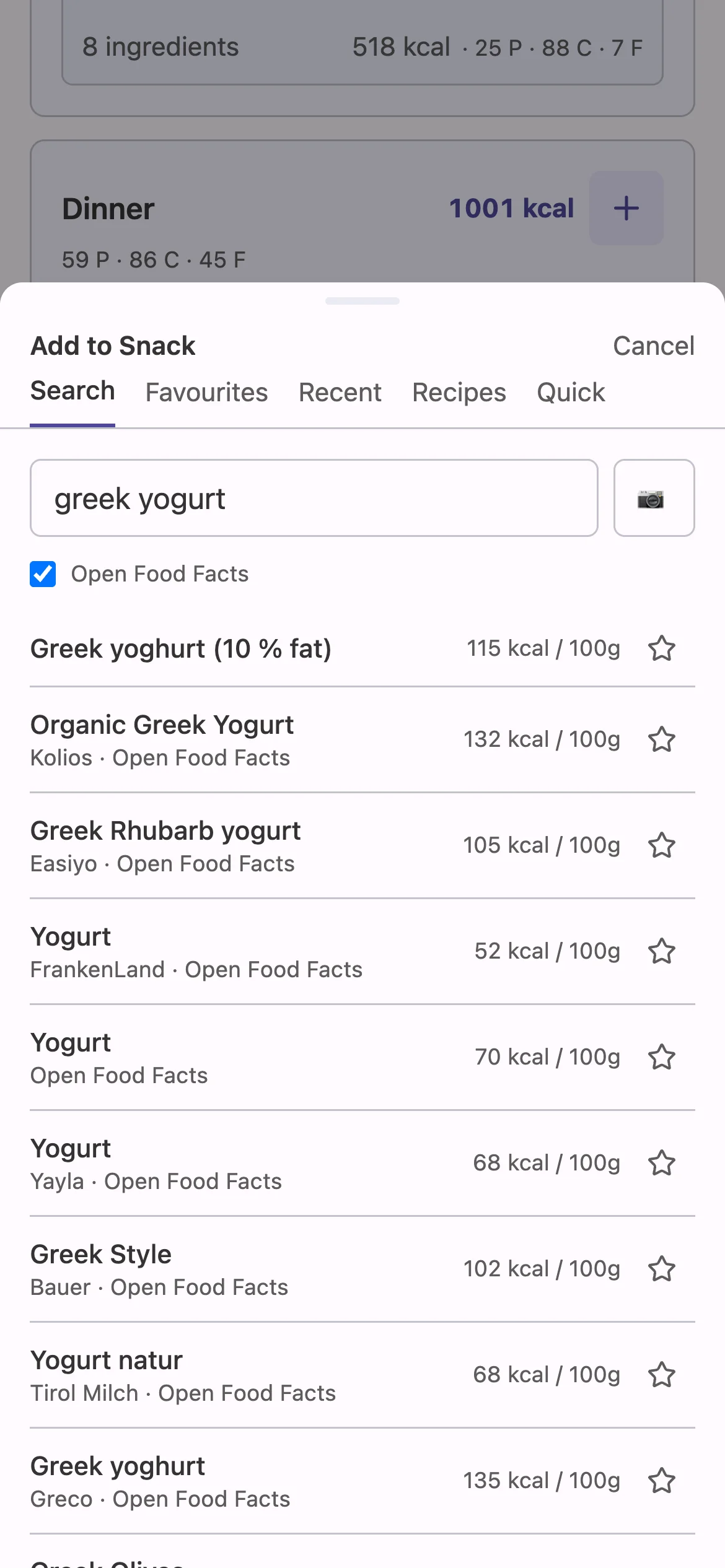
Packaged foods via Open Food Facts
Search branded products or scan a barcode, and the nutrition values come from Open Food Facts. If a product isn't there, photograph the packaging and it's read into your own catalog.
Recipes from photos
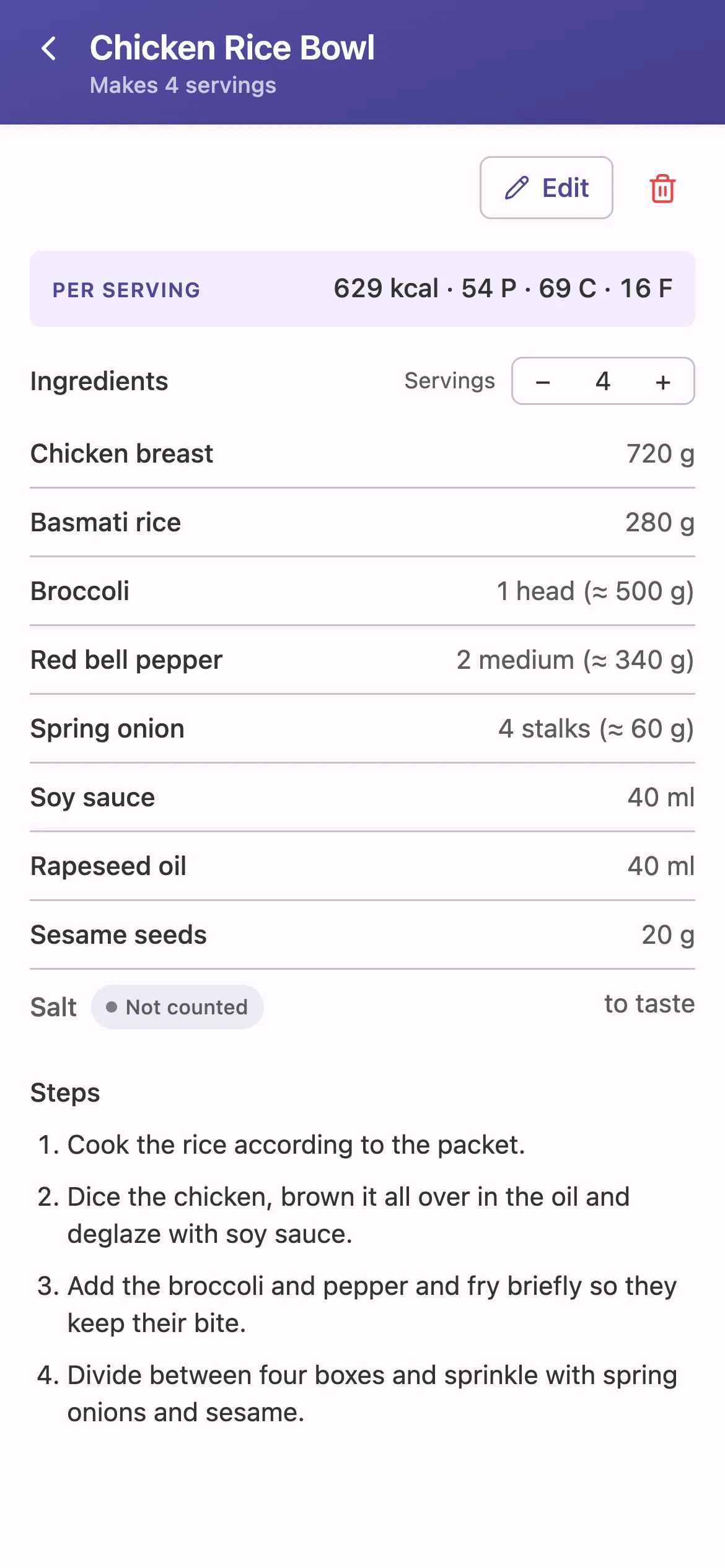
Photograph a cookbook page, take a screenshot or shoot both sides of a recipe card, and you get a draft recipe. You check every ingredient before anything is saved, and the recipe then carries its macros per portion.
And the rest of the basics
- Your own food catalog
- A curated base of everyday foods you can correct and extend, with piece weights like "1 egg".
- Your goals, no diet template
- Set calories and macros yourself, or work them out with the built-in calculator.
- Phone first, desktop too
- An installable web app that works offline in the supermarket and is just as usable at a desk.
- Weight alongside the plan
- Log your weight and see the trend next to what you actually planned and ate.
How it's built, and where data goes
Two separate things: the app you'd run or use, and this website asking whether you would.
The app
Your data lives in plain JSON files on the server that runs it. No database, no account system.
- Meals, recipes, goals Stored on your instance only.
- Product search Queries Open Food Facts when you switch it on or scan a barcode.
- Photo import Recipe and packaging photos go to the Anthropic API, only if you configure your own API key. Without one, the feature hides itself.
TypeScript throughout: a Hono API with a hexagonal, domain-driven core, and a
React PWA. Source code on
GitHub.
This website
Static HTML, no cookies. One script loads with the page: Umami's, to count the visit. Tally is only contacted when you submit the form.
- Visits Counted with Umami, cookieless and without personal data.
- Interest check Your choice goes to a Tally form, where you confirm it. No e-mail needed.
- Your e-mail Only if you add it on the Tally form yourself. Used once to tell you when there's something to try, then deleted.
Run it yourself today
forkcast is what I use every day, so self-hosting works now. Be aware it's built for a single person:
- One password-protected user, no sign-up, no sharing.
- Public container images on Docker Hub (linux/amd64). HTTPS, updates and backups are in the README.
- Photo import needs your own Anthropic API key. Everything else works without one.
# Docker with the compose plugin
$ mkdir forkcast && cd forkcast
$ curl -LO https://raw.githubusercontent.com/tizzyapunkt/forkcast/main/docker-compose.yml
$ echo "AUTH_PASSWORD=choose-a-password" > .env
$ echo "AUTH_JWT_SECRET=$(openssl rand -hex 32)" >> .env
$ docker compose up -d
# open http://localhost:8080
Questions
Why not just use a spreadsheet?
I tried, in Excel. It handled the maths, but entering a week of meals, looking up macros and rebuilding the grocery list was never ergonomic enough to do every single week. forkcast exists because the spreadsheet kept getting skipped.
Is there a hosted version?
Not yet. Whether there will be one depends on the answers to the question at the top of this page. If you left your e-mail on the Tally form, you'll hear about it first.
Will it cost money?
The code is public and you can run it yourself. Whether a hosted version would cost something isn't decided. There's nothing to sell yet.
Where is my data?
When you self-host: in JSON files on your server. Product lookups go to Open Food Facts, and photos go to the Anthropic API only if you add a key. See "How it's built" above for the full list.
Is the app available in English?
Yes. The app speaks English and German: it follows your browser's language, and you can switch it in the settings. The food catalog has English names too.
Who's behind this?
One developer, building it in spare time for their own kitchen. No company, no investors, no growth team.
Would you plan your week with it?
Hosted or on your own server: one click tells me which one is worth building next.
Answer the question